
Key takeaways
- 3D game art covers every character, creature, prop and environment a player sees, built by specialized roles: concept, character, environment, prop, technical art and animation.
- A game asset follows a fixed pipeline: concept, high-poly sculpt, retopology, UV unwrapping, baking, PBR texturing, rigging and animation, then import into the engine.
- Real-time rendering imposes budgets photorealistic film does not: polygon counts, texture memory, draw calls and LODs all have to fit the target hardware's frame-time budget.
- Stylized and realistic are production strategies, not just looks: stylized art hides engine limits behind exaggerated shapes, while realism depends on detailed PBR materials and higher budgets.
- A clear brief for a freelance game artist needs a style guide, technical specs (poly budget, texture size, LOD count) and naming conventions so assets drop into the engine without rework.
3D art is the creation of every three-dimensional asset a video game renders on screen: characters, creatures, weapons, props, vehicles and environments. Unlike a film render, a game asset has to run in real time, which means it is built to strict polygon, texture and memory budgets the engine can render at a stable frame rate.
That constraint shapes the entire craft. A 3D artist for games is not only judged on how a model looks in a portfolio still, but on whether it holds up in motion, under real lighting, on the target hardware.
What does "3D art" mean in game development?
3D art in games covers everything visible and interactive in a 3D scene: character and creature models, weapons and vehicles, buildings and terrain, props, and the visual effects layered on top. Each asset is a real object in the game's 3D space, not a flat image, so it must be modeled, textured, and often rigged and animated before it reaches the player.
This is different from concept illustration or 2D game art, which stays flat. It is also different from offline 3D used for film or product visualization, where a scene can take minutes per frame to render: a game asset renders dozens of times per second, on a phone, a console or a gaming PC, alongside every other object on screen at once.
What are the main roles in a game art team?
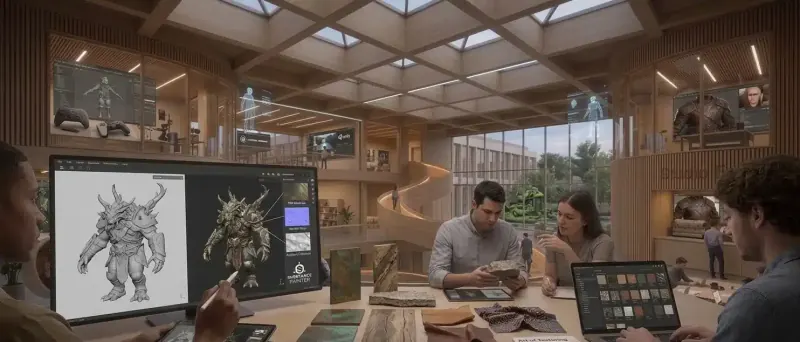
A game art team splits work across specialized roles because character sculpting, environment layout and technical optimization require different skills. On a small team or as a freelancer, one person often covers several of these roles; larger studios keep them separate.
| Role | Focus | Typical output |
|---|---|---|
| Concept artist | Visual direction, mood, silhouette | 2D sketches and paintings that guide every other role |
| Character artist | Characters and creatures | High-poly sculpt, game-ready model, textures |
| Environment artist | Levels, terrain, buildings | Modular kits, terrain sculpting, level dressing |
| Prop artist | Individual objects (crates, weapons, furniture) | Game-ready models, often reused across levels |
| Technical artist | Pipeline, shaders, rigging, tools | Rigs, shader graphs, optimization scripts |
| 3D animator | Movement and performance | Skeletal animations, facial animation, cinematics |
- Concept artists set the visual language before a single 3D asset is built, so revisions stay cheap.
- Character artists typically own the sculpt-to-game-ready pipeline for a single hero or creature.
- Environment and prop artists work from a shared kit of modular pieces to keep a level visually consistent and performant.
- Technical artists are the bridge between art and engineering: they build the rigs, shaders and export tools everyone else depends on.
How does a game asset go from concept to the engine?
A game asset follows a fixed pipeline: concept art, high-poly sculpting, retopology into a game-ready mesh, UV unwrapping, baking detail maps, PBR texturing, rigging and animation if needed, then import into the engine with LODs. Each stage exists to convert unlimited artistic detail into an asset the engine can render inside its budget.
- Concept. A 2D sketch or painting defines the silhouette, proportions and material story before any 3D work starts.
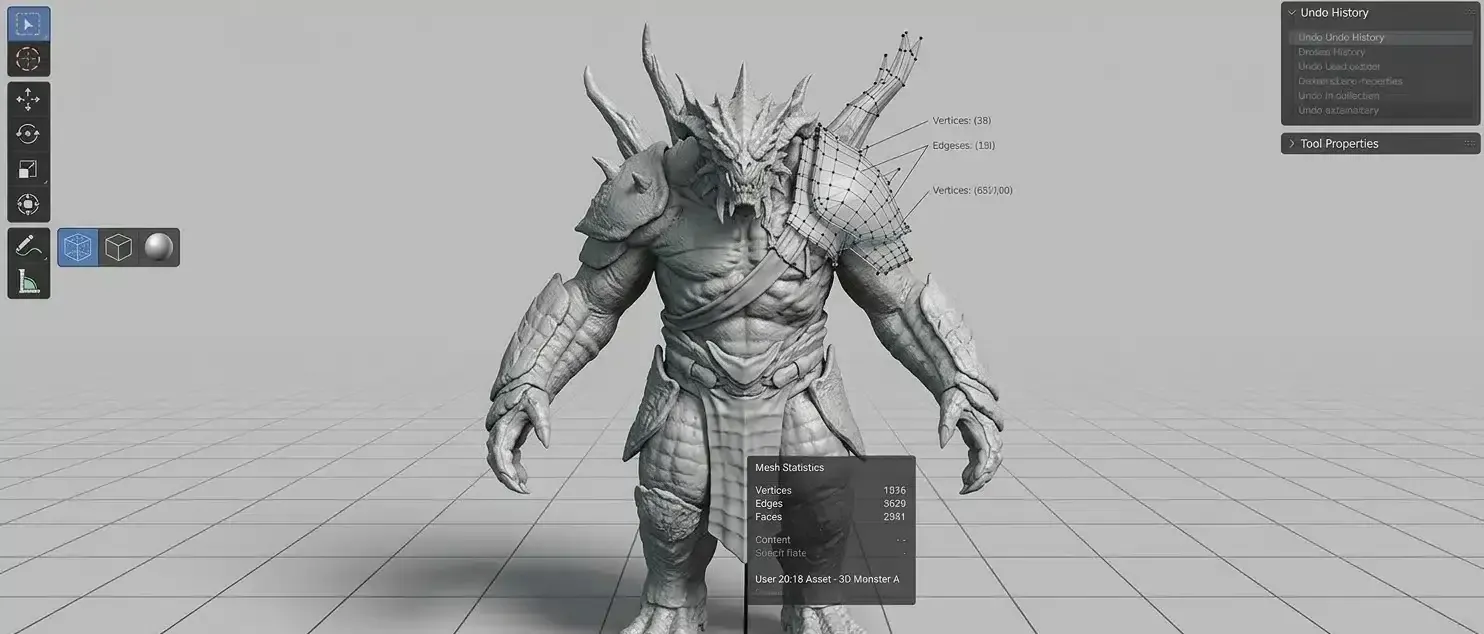
- High-poly sculpt. The artist sculpts fine detail, often in ZBrush, with no polygon limit: pores, fabric folds, battle damage.
- Retopology. The sculpt is rebuilt as a clean, low-polygon mesh with efficient topology that deforms well and fits the poly budget.
- UV unwrapping. The low-poly mesh is unfolded into a 2D layout so textures can be painted and mapped onto it correctly.
- Baking. Detail from the high-poly sculpt (normal maps, ambient occlusion, curvature) is baked onto the low-poly mesh's UVs.
- PBR texturing. The artist paints physically based materials (base color, roughness, metalness, normal), commonly in Adobe Substance 3D Painter, so the asset reacts correctly to any lighting in the engine, as PBR guidelines from texturing explain in more depth.
- Rigging and animation. Characters and moving objects get a skeleton and, if needed, animation clips or blend shapes for facial expression, building on the fundamentals covered in our 3D animation guide.
- Engine import. The final asset, its textures and its LODs are imported into the game engine, tested in context, and optimized further if it misses its performance budget.
Why real-time rendering limits what an artist can build
A game asset has to hit a frame-time budget shared with everything else on screen, unlike a pre-rendered film frame that can take as long as it needs. That budget is spent on polygon counts, texture memory, the number of draw calls, and how much detail stays visible at a distance through LODs.
- Polygon budget. Every triangle costs GPU time; studios set a budget per asset type based on how many will appear on screen at once and the target hardware.
- Texture memory. Each texture map consumes video memory; texture resolution and the number of unique materials are traded against how many assets a level needs to hold in memory simultaneously.
- Draw calls. According to Unity's official rendering documentation, each mesh typically needs its own draw call, and reducing how often the CPU has to submit these calls to the GPU is one of the main ways to speed up rendering; techniques such as GPU instancing and batching combine many objects into fewer calls.
- Level of Detail (LODs). An asset ships with several versions, from full detail up close to a simplified mesh at a distance, swapped automatically as the camera moves away, so the engine spends detail only where the player can actually see it.
- Trim sheets and modular kits. Environment artists reuse a single texture sheet across many wall, floor and prop pieces, and build levels from a modular kit, which keeps texture memory and draw calls low across a large space.
Some newer engine technology changes where these limits sit rather than removing them: Epic Games describes Nanite virtualized geometry in Unreal Engine as a system that renders only the detail visible on screen, letting artists import film-quality sculpts directly in some cases. It still requires the right asset setup and does not remove every budget (skeletal meshes, transparency and some material types work differently under Nanite).
Stylized or realistic: how do art styles affect production?
Stylized and realistic are production choices with different costs, not just different looks. Realistic art depends on detailed, physically accurate materials and higher polygon and texture budgets to hold up under close inspection, while stylized art uses simplified shapes, flat or hand-painted textures and exaggerated proportions that can hide lower budgets and still read clearly at a distance or on weaker hardware.
| Aspect | Stylized | Realistic |
|---|---|---|
| Shapes | Simplified, exaggerated silhouettes | Anatomically and structurally accurate |
| Textures | Flat colors or hand-painted, fewer maps | Full PBR material sets, high resolution |
| Lighting tolerance | Reads well under simple or stylized lighting | Needs accurate lighting to look convincing |
| Typical polygon cost | Lower | Higher |
| Risk | Can look generic if the silhouette is weak | Can look unfinished if materials are not detailed enough |
Neither style is easier: a weak stylized silhouette reads as generic just as fast as a rushed realistic material reads as fake. The choice should follow the game's genre, target platform and art direction, not the team's shortcuts.
Which engines and tools does game 3D art rely on?
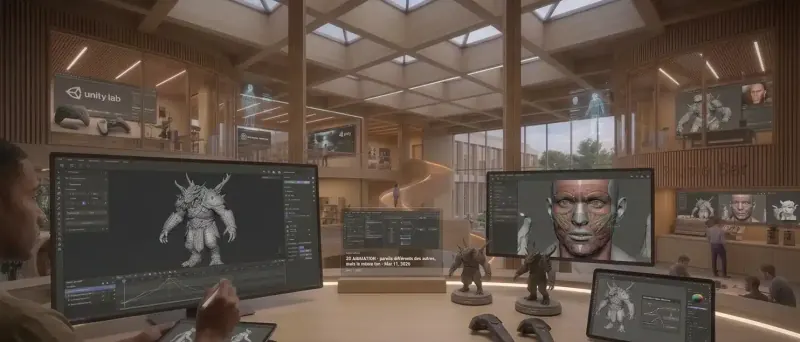
The three engines most freelance and studio game artists build for are Unreal Engine, Unity and Godot, each with different strengths for real-time rendering, while the modeling and texturing work happens upstream in dedicated 3D software before assets are imported.
- Unreal Engine: strong for high-fidelity visuals and, since Nanite and Lumen, more forgiving on geometry and lighting complexity in supported workflows.
- Unity: widely used across mobile, indie and mid-size productions, with a large asset ecosystem and flexible render pipelines.
- Godot: an open-source engine gaining traction for 2D and 3D indie projects, with a smaller but active tooling ecosystem.
- ZBrush: the standard for high-poly sculpting of characters and creatures.
- Blender, Maya, 3ds Max: general-purpose modeling, retopology, UVs and animation.
- Adobe Substance 3D Painter and Designer: the standard for PBR texturing and procedural material creation.
Most engines and asset stores expect glTF or FBX for interchange; glTF 2.0, published by the Khronos Group as the ISO/IEC 12113:2022 standard, has become the common web and real-time delivery format alongside each engine's native import formats.
How do you brief a freelance 3D artist for game art?
A clear brief for a freelance game artist covers three things: a style guide showing the target look, technical specs the engine requires (polygon budget, texture resolution, LOD count, target platform), and naming and file conventions so assets drop into the project without rework. Missing any one of these usually means a costly second pass.
Here is the checklist we recommend to clients on Hi 3D:
- Style guide: reference images, existing concept art, or shipped assets that define proportions, material language and color palette.
- Technical specs: target engine and version, polygon budget per asset type, texture resolution and map types (base color, normal, roughness, metalness), and how many LODs are expected.
- Naming and file conventions: the project's naming scheme for meshes, materials and textures, plus the expected file formats (FBX, glTF) and folder structure.
- Rigging and animation needs: whether the asset needs a skeleton, blend shapes for facial expression, or is a static prop.
- Reference footage or gameplay context: how the asset will be seen in-game (camera distance, lighting conditions) so the artist can budget detail correctly.
- Revision rounds: how many passes are included at the sculpt, retopology and texture stages.
How to evaluate a game artist's portfolio
Look for finished, in-engine renders or short clips, not just sculpt turntables: a beautiful ZBrush sculpt does not guarantee a clean, game-ready retopology. Ask for wireframe and texture-sheet views to check topology quality and texture efficiency, and look for work at a similar art style and platform to your project. On Hi 3D, you can browse verified freelance 3D artists filtered by specialty, including game art, and compare portfolios side by side.
Game 3D art is what turns a design document into a world players can explore, one budgeted asset at a time. Whether you need a single hero character or a full modular environment kit, you can post your project on Hi 3D to find a freelance 3D artist who works in games.
Frequently asked questions
What is 3D art in video games?
3D game art is the creation of every three-dimensional asset a player sees or interacts with: characters, creatures, weapons, props, vehicles and environments. Unlike a film render, a game asset must also run in real time, so the artist builds it to a polygon, texture and memory budget the game engine can render at a stable frame rate on the target hardware.
What are the main 3D art roles in game development?
The core roles are concept artist (visual direction), character artist (character and creature models), environment artist (levels, props, terrain), prop artist (individual objects), technical artist (rigging, shaders, pipeline tools) and 3D animator (movement and facial animation). Smaller studios and freelancers often combine several of these roles into one generalist position.
What software do game 3D artists use?
Common tools are Blender, Autodesk Maya and 3ds Max for modeling and animation, ZBrush for high-detail sculpting, Adobe Substance 3D Painter and Designer for PBR texturing, and Marmoset Toolbag for baking and preview. Finished assets are imported into a game engine such as Unreal Engine, Unity or Godot for real-time rendering.
What is retopology and why does it matter for games?
Retopology is rebuilding a high-detail sculpt (often millions of polygons) into a clean, low-polygon mesh with an efficient topology that deforms well and renders in real time. The fine detail from the high-poly sculpt is then baked onto the low-poly mesh as normal and detail maps, so the game asset looks detailed while staying inside its polygon budget.
How many polygons should a game character have?
It depends entirely on the platform and the camera distance: a background character seen from afar needs far less detail than a hero character shown in cutscenes. There is no universal number; the studio's technical art team sets a budget per asset type based on the target hardware, the number of characters on screen at once, and the engine's overall performance target.
Should I hire a freelance 3D artist for game art?
Yes, for most indie and mid-size productions: freelance game artists let a studio scale a specific skill (character sculpting, environment kitbashing, texturing) up or down per milestone without a full-time hire. Success depends on the brief: a style guide, technical specs (poly count, texture resolution, LOD requirements) and file naming conventions prevent rework once assets reach the engine.
The Hi 3D Team
Hi 3D connects companies with verified freelance 3D artists worldwide. Our team writes practical guides drawn from the projects we see on the platform every day.
Need a 3D artist for your project?
Browse verified freelance 3D artists, compare portfolios and get your project started on Hi 3D.