
Key takeaways
- 3D product visualization creates photorealistic images, 360° spins, animations and AR-ready models from one digital replica of the product, without a photo shoot.
- It pays off most for products with many variants, products that are not manufactured yet, and catalogs that need identical lighting and angles for every item.
- Photography remains the simpler choice for a few products already in stock, for images built around real people, and for hard-to-simulate materials on a tight budget.
- Cost depends on the files you can supply, product complexity, materials, scene type, number of views and output formats; the first render costs the most, variants reuse the model.
- A brief with CAD files or dimensions, material references, a shot list, the intended usage and the number of revision rounds gets you comparable quotes and fewer corrections.
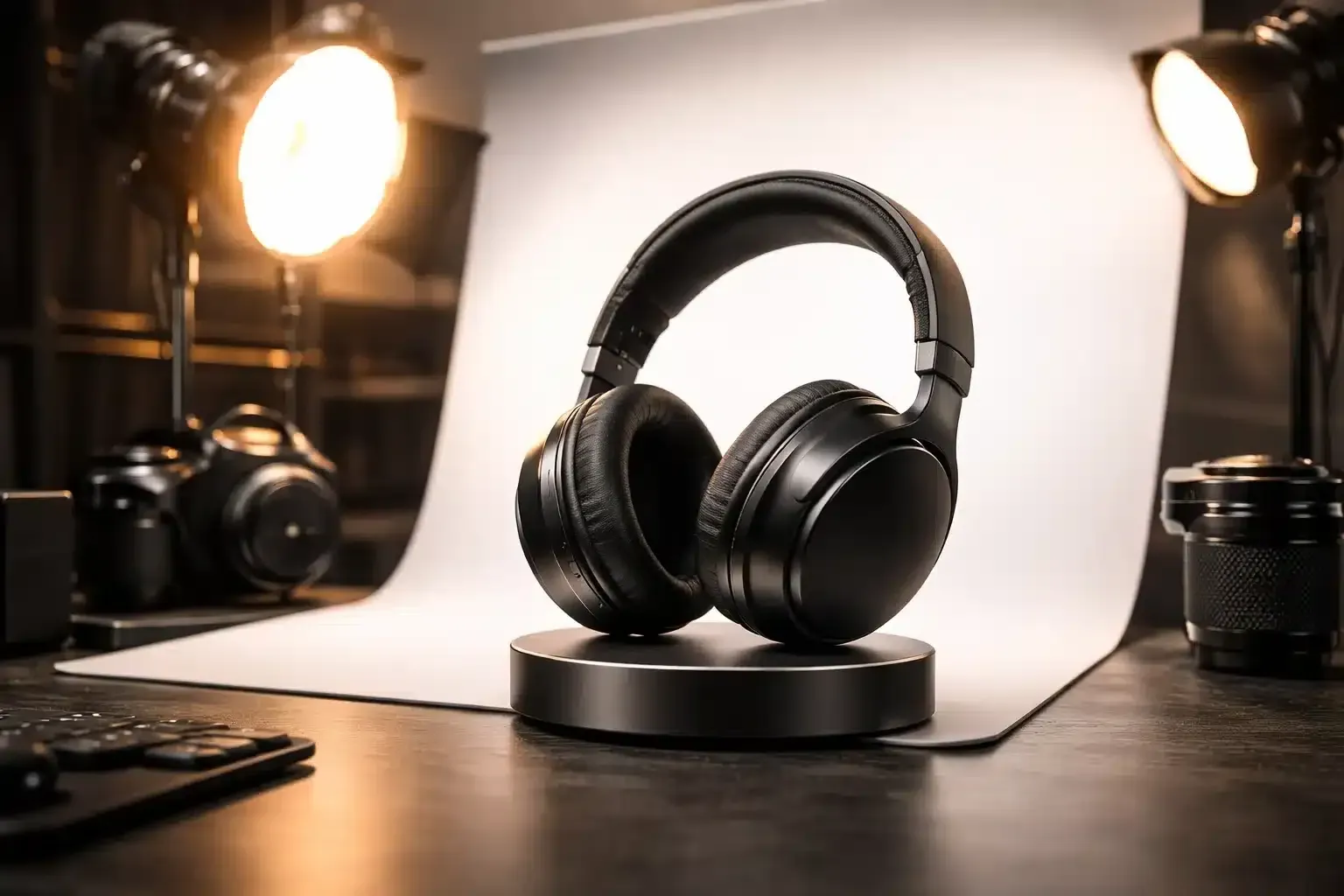
3D product visualization is the creation of photorealistic images, animations and interactive 3D views of a product from a digital model rather than a photo shoot. Once the model exists, a brand can show every color, angle and setting on demand, even before the physical product is manufactured.
That matters because online shoppers judge products almost entirely through visuals: in Baymard Institute's large-scale usability testing, 56% of users began exploring the product images as their very first action on a product page.
What is 3D product visualization?
3D product visualization, also called 3D product rendering or product CGI, means building an accurate digital replica of a product (its geometry, materials and finishes) and then lighting and rendering it in a virtual photo studio. The same model can output still images, 360° spins, animations and interactive 3D files for the web and augmented reality.
A photographer captures what is in front of the lens; a 3D artist rebuilds the product and controls every variable, from the exact shade of a finish to the reflection along a chrome edge. The model is an asset you keep, not a one-time shoot, and it can feed several deliverables:
| Deliverable | What it is | Typical use |
|---|---|---|
| Packshot | The product alone on a white or plain background | Product pages, marketplaces, catalogs |
| Lifestyle render | The product in a realistic scene (room, desk, outdoors) | Ads, social media, landing pages |
| 360° spin | A sequence of frames the shopper can rotate | Product pages |
| Animation | Camera moves, exploded views, feature demos | Launch videos, social media, trade shows |
| Interactive 3D or AR model | A lightweight real-time model for the browser or the shopper's room | Product pages, configurators, AR |
Why are brands switching from product photography to 3D renders?
Brands move to 3D because one accurate model can replace many photo shoots. Each new color, material, angle or campaign becomes a digital change rather than a reshoot, visuals stay consistent across the whole catalog, and marketing can start before the first unit leaves the factory. Interactive 3D also gives shoppers something photos cannot: control over the view.
- Visuals before production. Renders can be built from CAD files or drawings, so product pages and pre-orders go live before inventory exists.
- Variants without reshoots. Switching a colorway or a material on an existing model is much faster than photographing every version.
- Consistency at scale. The same virtual lighting, angles and background apply to every item.
- Creative freedom. Cutaways, exploded views and macro details need no rigs, props or samples shipped to a studio.
Published figures point the same way. In 2022, as it brought 3D product visuals to Search, Google reported that people engage with 3D images almost 50% more than with static ones. On Shopify, the handbag and fashion brand Rebecca Minkoff found that shoppers who interacted with a product in 3D were 44% more likely to add it to their cart and 27% more likely to place an order. These figures come from one platform and one brand, measured on shoppers who chose to interact: a strong signal, not a guaranteed uplift for your store.
Is 3D rendering better than product photography?
Not always. 3D rendering wins when you have many variants, products that do not exist yet, or a need for identical visuals across a large catalog. Photography is often simpler and cheaper for a handful of products already in stock, for images centered on real people, and for materials that are hard to simulate convincingly on a small budget.
| Criterion | Product photography | 3D rendering |
|---|---|---|
| Needs the physical product | Yes | No: CAD files, drawings or photos are enough |
| New color or material | New shoot or heavy retouching | Material change on the existing model |
| Consistency across a catalog | Varies with the studio and the shoot day | Same virtual setup for every item |
| Upfront effort per product | Low | Higher: the model must be built first |
| People, food, clothing on a body | A natural strength | Possible, but demanding and costly |
| Reuse (ads, AR, 3D viewer) | Limited to the images shot | One model, many outputs |
Many brands combine both: photography for human and lifestyle shots, 3D for packshots, variants and interactive views. The deciding question is how many images a product will need over its lifetime, not the price of the first one.
Where can you use 3D product visuals?
3D product visuals work anywhere a product image does, plus places photos cannot go. The main uses are e-commerce product pages and marketplaces, product configurators, augmented reality previews, advertising and social media, launch campaigns and pre-orders, packaging mock-ups, and sales material such as catalogs and trade-show screens.
- Product pages: 360° spins and embedded 3D viewers let shoppers rotate and zoom instead of guessing from a few photos.
- Configurators: shoppers pick a fabric or a finish and see it instantly, which only works when each option is a material on a 3D model.
- Augmented reality: a true-to-scale model appears in the shopper's room through the phone camera, most useful when size is the main doubt.
- Ads and launches: lifestyle renders and 3D animation for storytelling replace a location shoot and can be ready before the product exists.
The sectors that gain the most are those where appearance, finish or customization drive the purchase: furniture, consumer electronics, cosmetics packaging, jewelry and watches, footwear, and industrial products, where a cutaway explains what a photo cannot.
How is a 3D product render made?
A 3D product render is made in five stages: modeling the product's geometry from CAD files or references, creating its materials, setting up lighting and cameras, rendering the final images, and post-production. The client validates the work at key stages, starting with an untextured "clay" view of the model, so errors are caught before they become expensive.
- Modeling. The artist builds the geometry, ideally from your CAD files (usually cleaned up for rendering), otherwise from dimensioned drawings and photos. Accuracy here decides everything downstream, as our guide to 3D modeling explains.
- Materials and texturing. Physically based (PBR) materials reproduce how metal, glass, leather or fabric react to light, down to fine scratches. See the art of texturing for details.
- Lighting and camera. A virtual studio: lights, reflectors, backdrop, lens and angle, the same decisions a photographer makes on set.
- Rendering. The software computes the final images; render time grows with resolution, material complexity and the number of animation frames.
- Post-production. Color correction, compositing and export in every format you need.
Which file formats will you receive?
- Still images: PNG or TIFF for quality, JPEG or WebP for the web, layered PSD for in-house retouching.
- Animations: MP4 files sized for each channel.
- Web and AR models: GLB, the binary version of glTF 2.0, the Khronos Group format published as the ISO/IEC 12113:2022 standard, plus USDZ for AR on iPhone and iPad.
- Source files: native scene files (.blend, .max, .c4d) only if agreed in the quote; settle reuse rights up front.
How much does 3D product visualization cost?
There is no fixed price: the cost of 3D product visualization depends on how much of the model must be built from scratch, the product's complexity and materials, the type of scene, and how many images, variants and formats you need. The first render of a product costs the most; extra angles and colorways reuse the same model.
| Cost driver | Why it changes the price |
|---|---|
| Starting files | Clean CAD files save modeling time; photos alone mean rebuilding every dimension |
| Geometry | A plain bottle is quick; a watch or a machine with dozens of parts is not |
| Materials | Glass, liquids, gemstones, brushed metal and fabrics take more setup and render time |
| Scene | A white-background packshot is simplest; a furnished lifestyle set is a small interior project |
| Volume | Number of products, angles, colorways and aspect ratios |
| Output | Print resolution, 360° spins, animation, or real-time models for web and AR |
| Revisions and deadline | Extra revision rounds and rush delivery add time |
Lifestyle sets borrow the techniques of architectural visualization. Timelines follow the same logic: the first delivery takes longest, variants come much faster. Ask each artist for a quote listing deliverables, revision rounds and delivery date, so offers are comparable.
How do you brief a 3D artist for product renders?
A good brief gives the artist everything needed to rebuild the product accurately and to know what "done" looks like: technical files and dimensions, material references, the list of shots and formats, where the images will be used, the deadline and the number of revision rounds. The clearer the brief, the fewer surprises on price and timing.
Here is the checklist we recommend to clients on Hi 3D:
- Technical files: CAD exports (STEP or IGES) or native files, plus overall dimensions. Without CAD, photos of a sample from every side, with a ruler in the frame.
- Materials and colors: Pantone or RAL references, the finish (matte, satin, gloss, brushed) and, ideally, a physical sample.
- Brand assets: logos and labels as vector files (SVG, AI or PDF), packaging dielines and brand guidelines.
- Shot list and references: angles, backgrounds and aspect ratios per channel (square, 4:5, 9:16), plus two or three images whose lighting you like.
- Deliverables: formats, resolutions, and whether you need the 3D model itself (GLB, USDZ) or the source files.
- Schedule and revisions: the deadline and the revision rounds included at each stage (model, materials, final lighting).
How to evaluate a 3D artist's portfolio
Look for work in your product category and with your materials: an artist who excels at upholstered furniture may not suit jewelry. Zoom into close-ups, where weak materials and soft edges show. Check the consistency of a whole series rather than one hero image, and ask for clay or wireframe views, which reveal the quality of the model itself. On Hi 3D, you can browse verified freelance 3D artists by specialty and compare portfolios side by side.
Where should you start with 3D product visualization?
Start with one product that has several variants or a launch date ahead of stock. Commission a packshot set from an accurate model, then compare it with your current photos. Once the model is approved, lifestyle scenes, 360° views or an AR version build on work already paid for.
That is the core promise of 3D product visualization: visuals that stay consistent, reusable and ready before the product itself. When you are ready, post your project on Hi 3D to find a freelance 3D artist who specializes in product rendering.
Frequently asked questions
Is 3D product rendering cheaper than product photography?
It depends on volume. For a few products already in stock and shown in one color, a photo shoot is often cheaper. 3D rendering becomes more economical as variants, angles and reuse increase, because each new colorway or campaign visual is a change to an existing model rather than a new shoot. Compare the total number of images a product will need over its life, not the price of the first one.
Can you create 3D renders of a product that has not been manufactured yet?
Yes, and it is one of the main reasons brands use 3D. A 3D artist can model the product from CAD files, technical drawings or dimensioned sketches, then produce photorealistic images for pre-orders, crowdfunding pages, investor decks or packaging tests. When the design changes, the model is updated instead of building and photographing a new prototype.
What files should I send a 3D artist for a product render?
Send CAD files (STEP, IGES or native formats) if you have them, otherwise dimensioned drawings and photos of a sample from every side. Add material and color references such as Pantone or RAL codes, logos as vector files, a shot list with angles and aspect ratios, a few reference images for lighting and mood, and your deadline. Complete inputs make quotes more accurate and reduce revision rounds.
Which software is used for 3D product rendering?
Professional 3D artists commonly use Blender, Autodesk 3ds Max or Maya, Maxon Cinema 4D or KeyShot, with render engines such as V-Ray, Corona, Redshift or Cycles, and Adobe Substance 3D for materials. The software matters less than the artist's skill with materials and lighting, so judge candidates on portfolio close-ups and on work in your product category.
What file format do 3D product models need for websites and AR?
For web viewers and e-commerce platforms such as Shopify, the standard is GLB, the binary version of glTF 2.0, an open Khronos format published as ISO/IEC 12113:2022. For augmented reality on iPhone and iPad, Apple uses USDZ. Real-time models must also stay lightweight, so ask your 3D artist for an optimized version alongside the high-resolution model used for still renders.
What is the difference between a 3D model and a 3D render?
A 3D model is the digital object itself: geometry, materials and textures that can be viewed from any angle. A 3D render is an image or video frame calculated from that model with a chosen lighting setup, camera and background. One model can produce any number of renders, which is why brands treat the model as a long-term asset and the renders as its outputs.
The Hi 3D Team
Hi 3D connects companies with verified freelance 3D artists worldwide. Our team writes practical guides drawn from the projects we see on the platform every day.
Need a 3D artist for your project?
Browse verified freelance 3D artists, compare portfolios and get your project started on Hi 3D.